
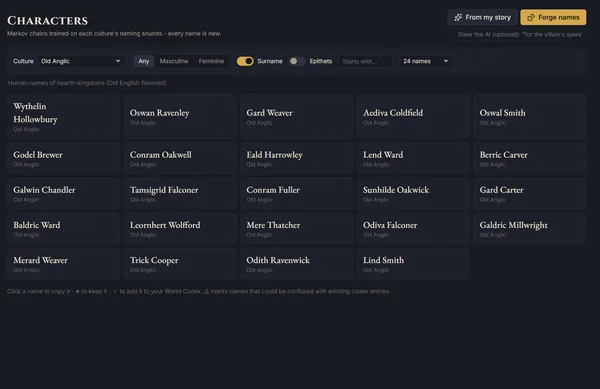
Name Forge
Names built from the sounds of each culture, so they feel like they belong to the same world: characters, noble houses, gods, dragons, cities, taverns, ships, spells and more. Every batch is fresh, with no repeats.
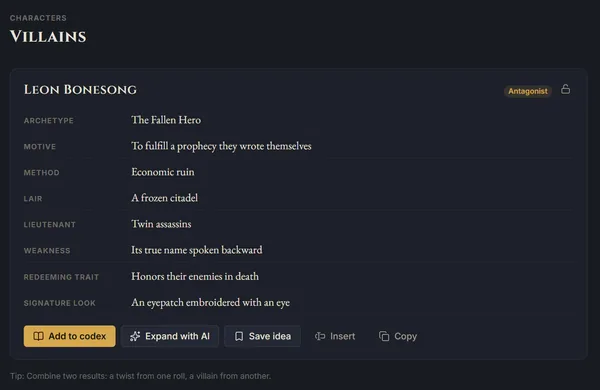
Elsewhen keeps your manuscript, world codex, maps and timeline together in one calm desktop app. The AI muse is optional, and can run privately on your own PC.
Coming soon to Windows 10 & 11. Get an email the day it launches.
One email when Elsewhen is ready. Never shared, never sold. Privacy
Windows 10 & 11 · 14 days with every feature · no account or card needed
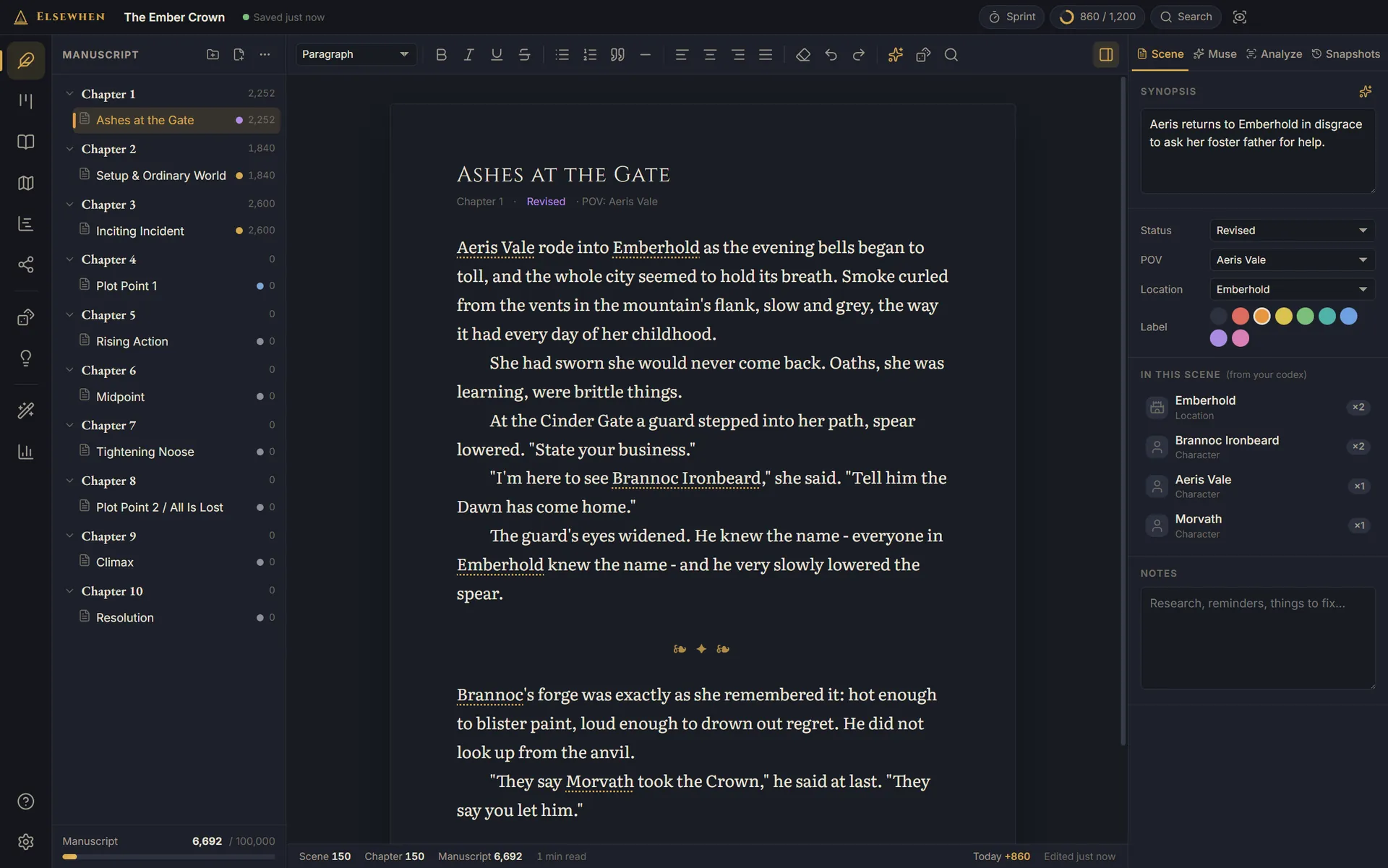
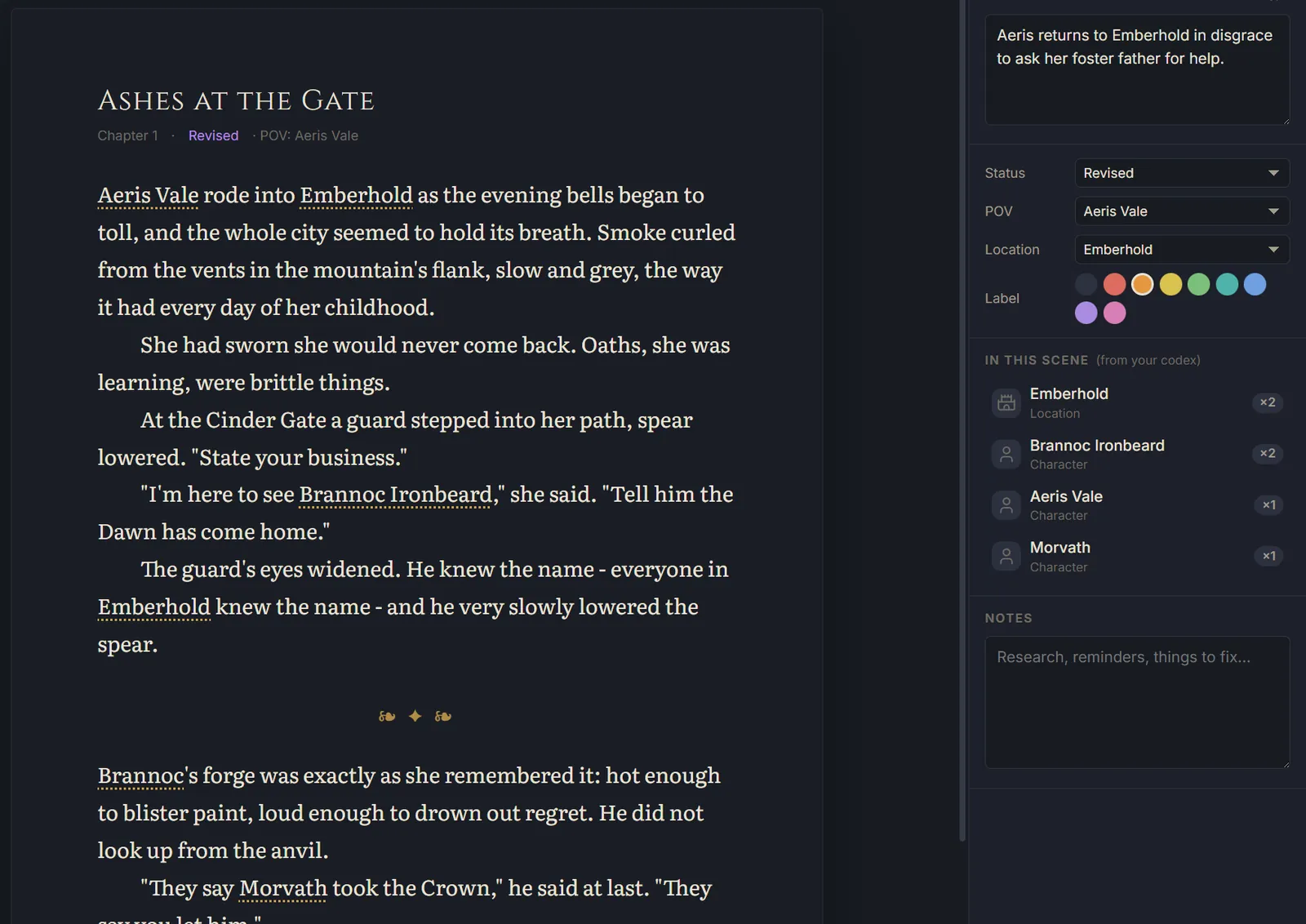
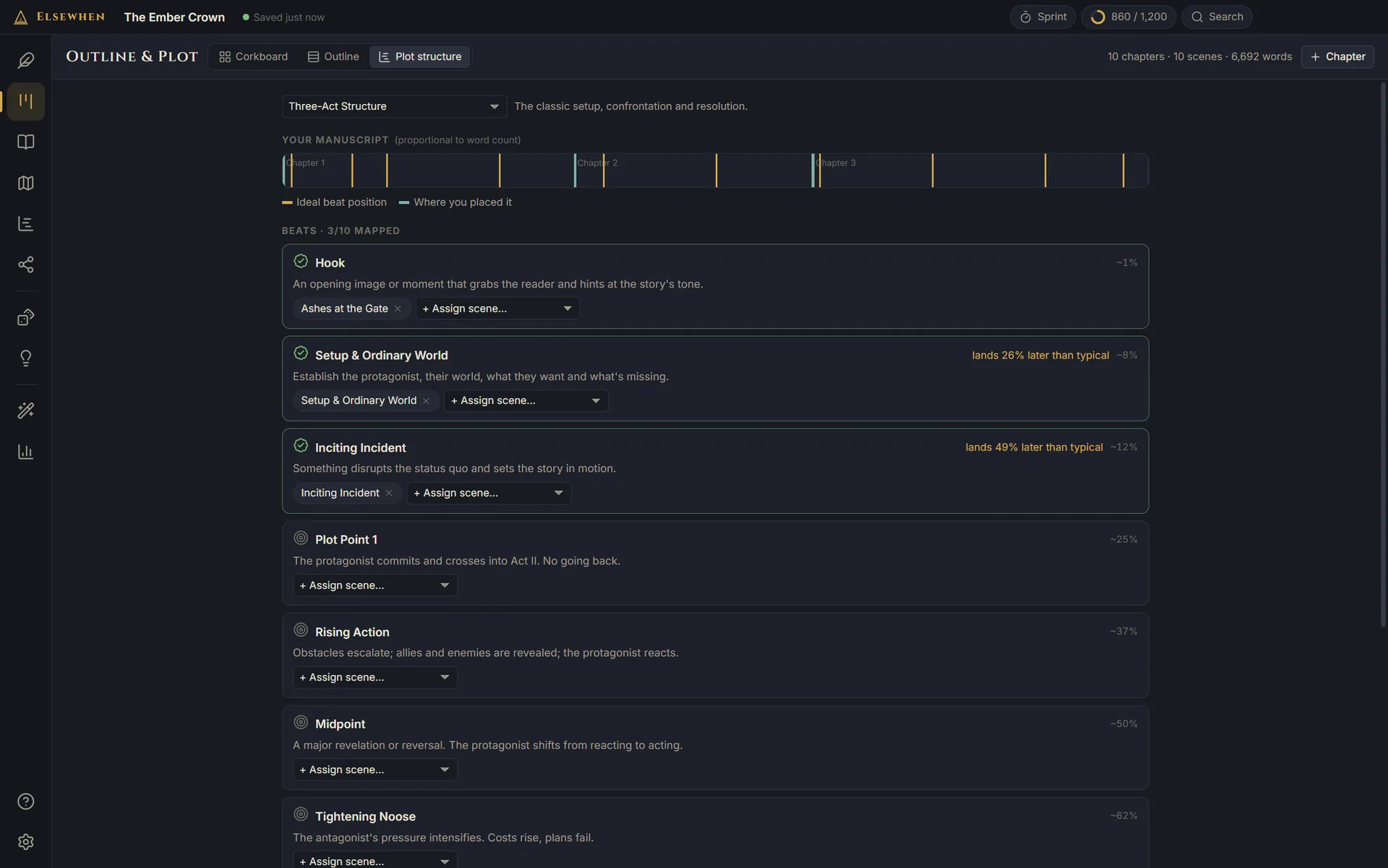
Write in a quiet, book-like editor while Elsewhen keeps track of everything around it. Type a character's name and it links to their codex entry. Open a scene and the inspector shows who is in it, whose point of view it is, and where it happens.
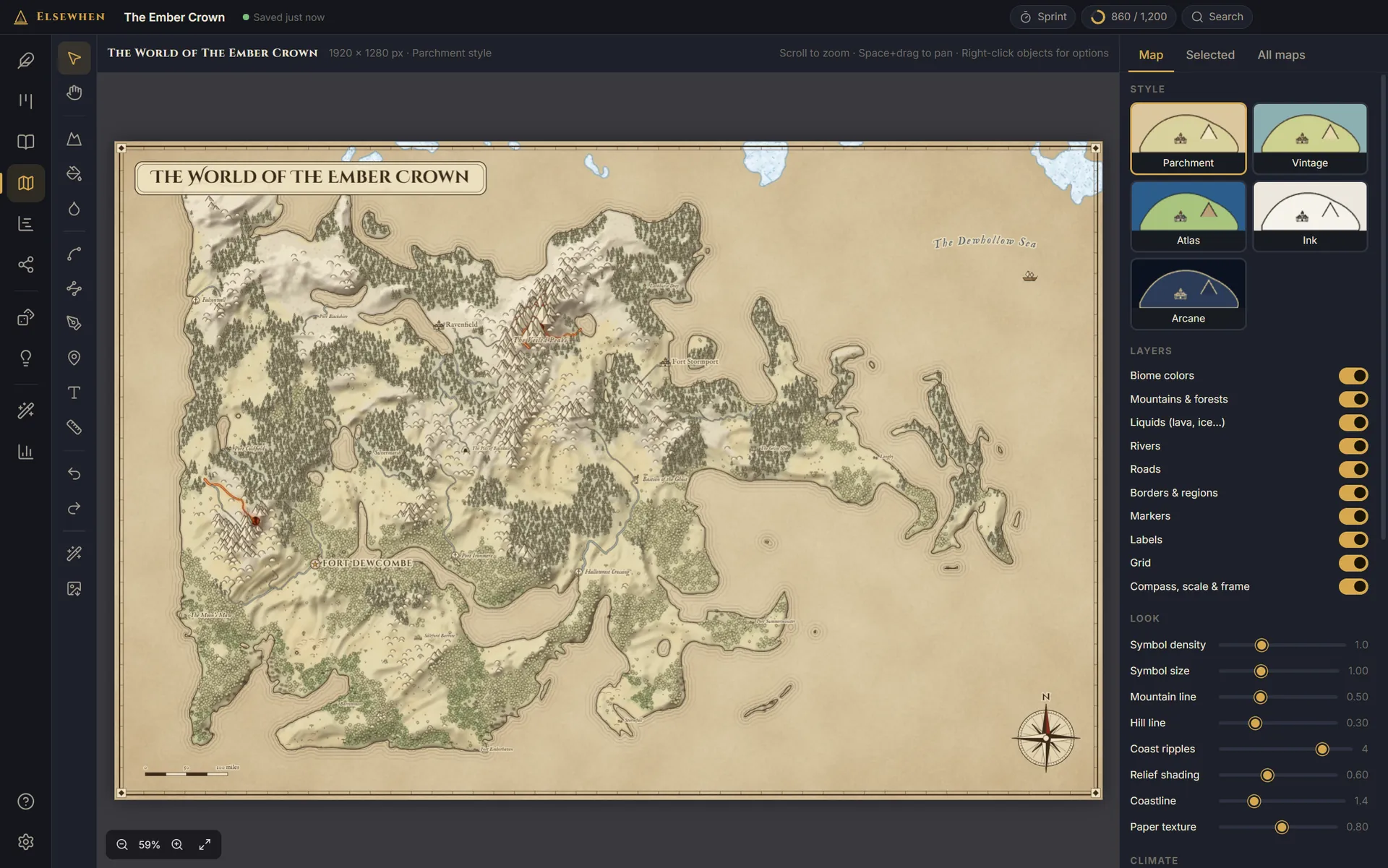
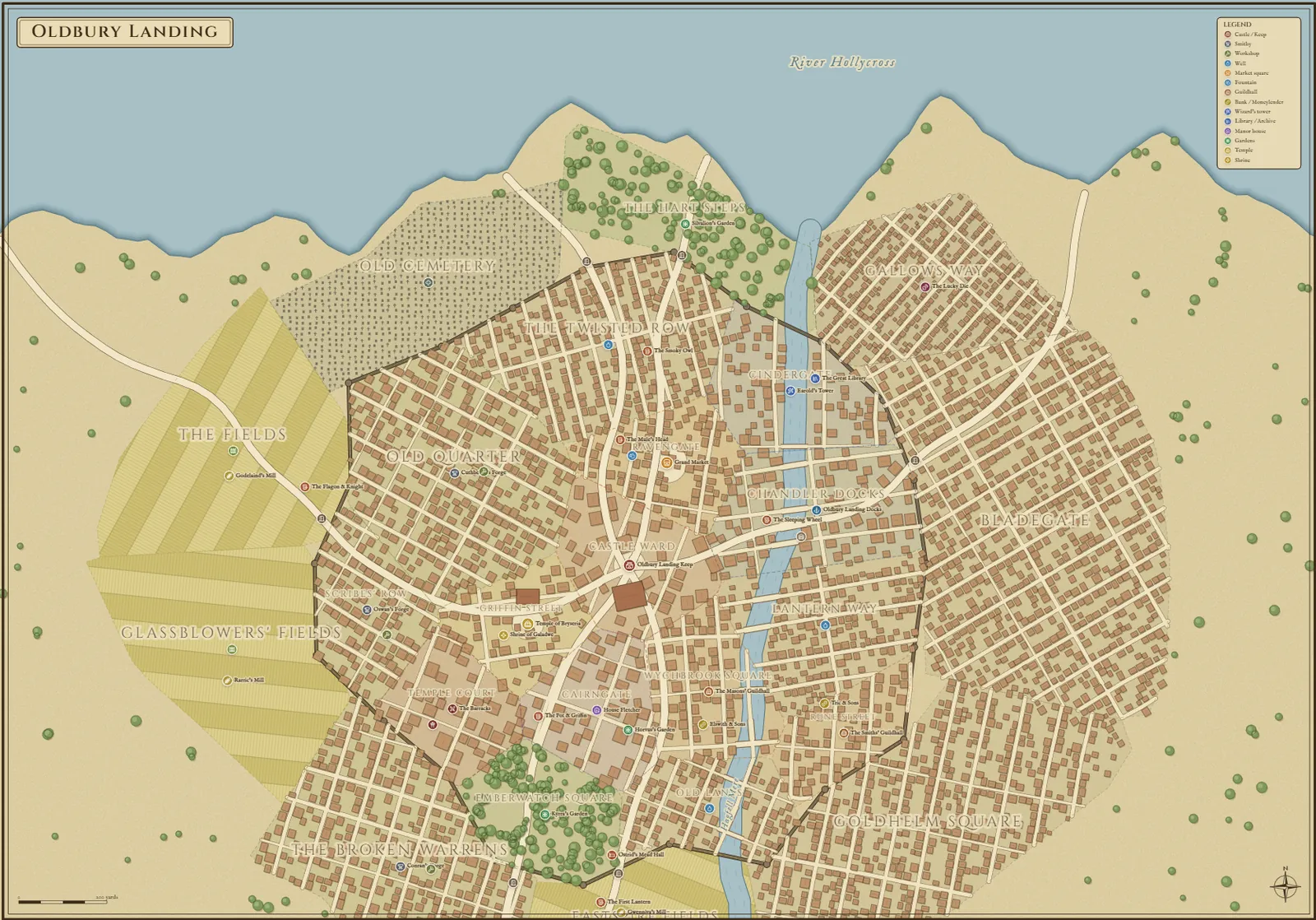
Generate a world in seconds, then make it yours: raise mountains, carve rivers, pour in lava or ice, and place towns, ruins and shrines. When the story moves indoors, double-click a city to map its districts, streets, walls and buildings.
Parchment, Vintage, Atlas, Ink and Arcane, with relief shading, coast ripples, a scale bar and a compass rose. Export a PNG for your book.
Zoom into any region or settlement for a detailed map of its own, linked back to the world it belongs to, with dozens of building and landmark icons.
Optional: let the AI muse read your manuscript and codex, then place your realms, cities and landmarks on a new world.
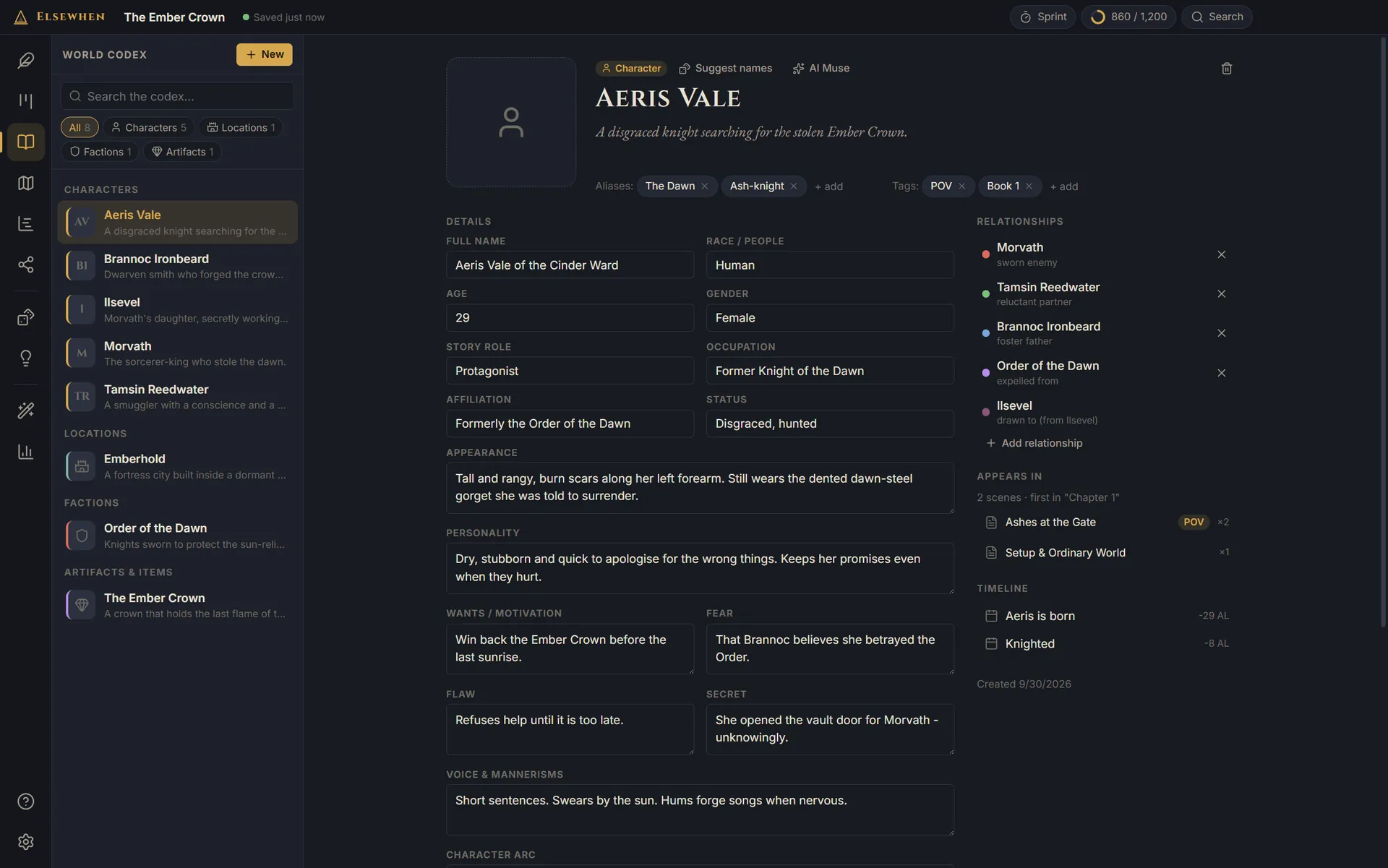
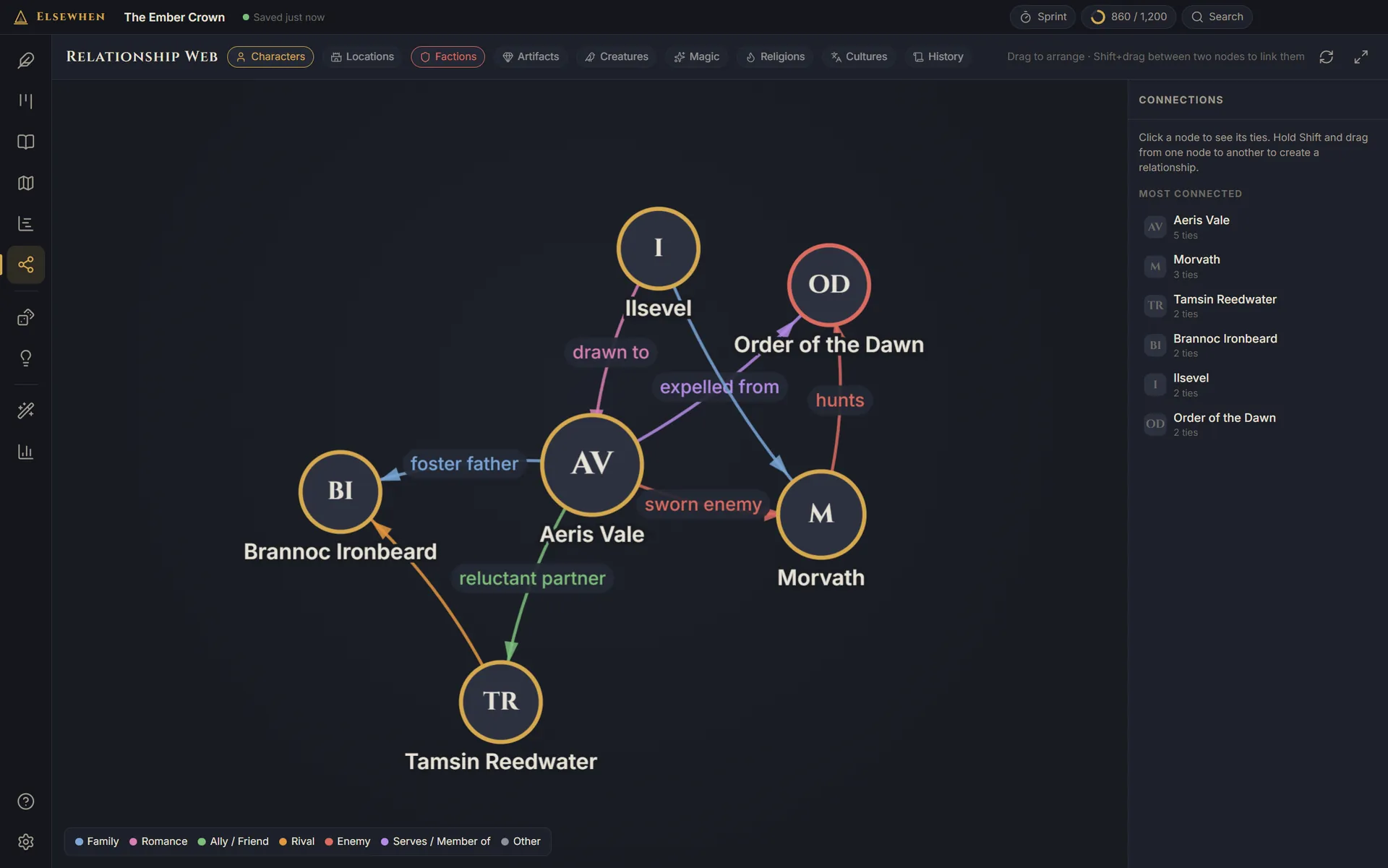
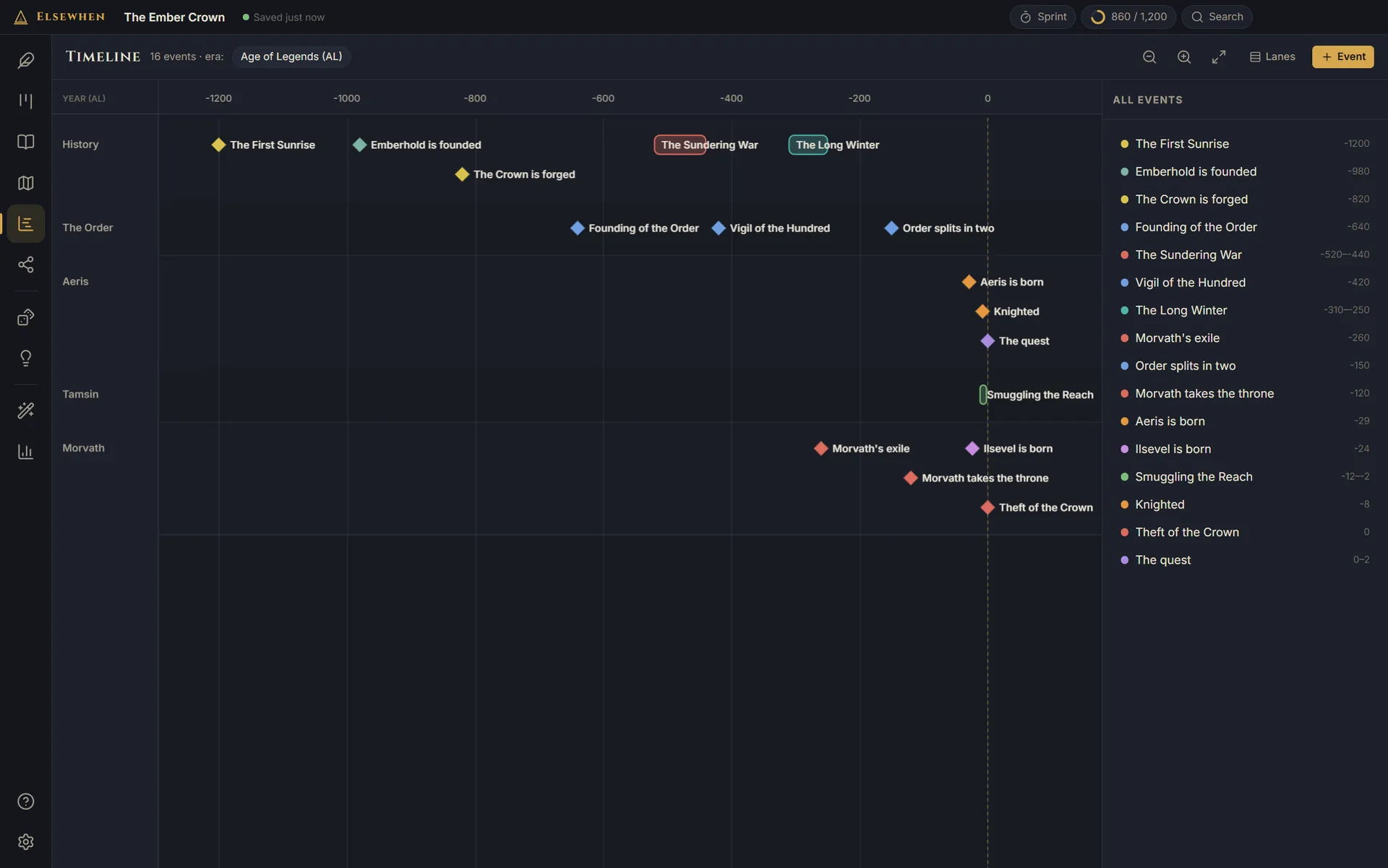
Characters, places, factions, magic, faiths and history live in the codex, and turn up wherever you need them.


Names built from the sounds of each culture, so they feel like they belong to the same world: characters, noble houses, gods, dragons, cities, taverns, ships, spells and more. Every batch is fresh, with no repeats.

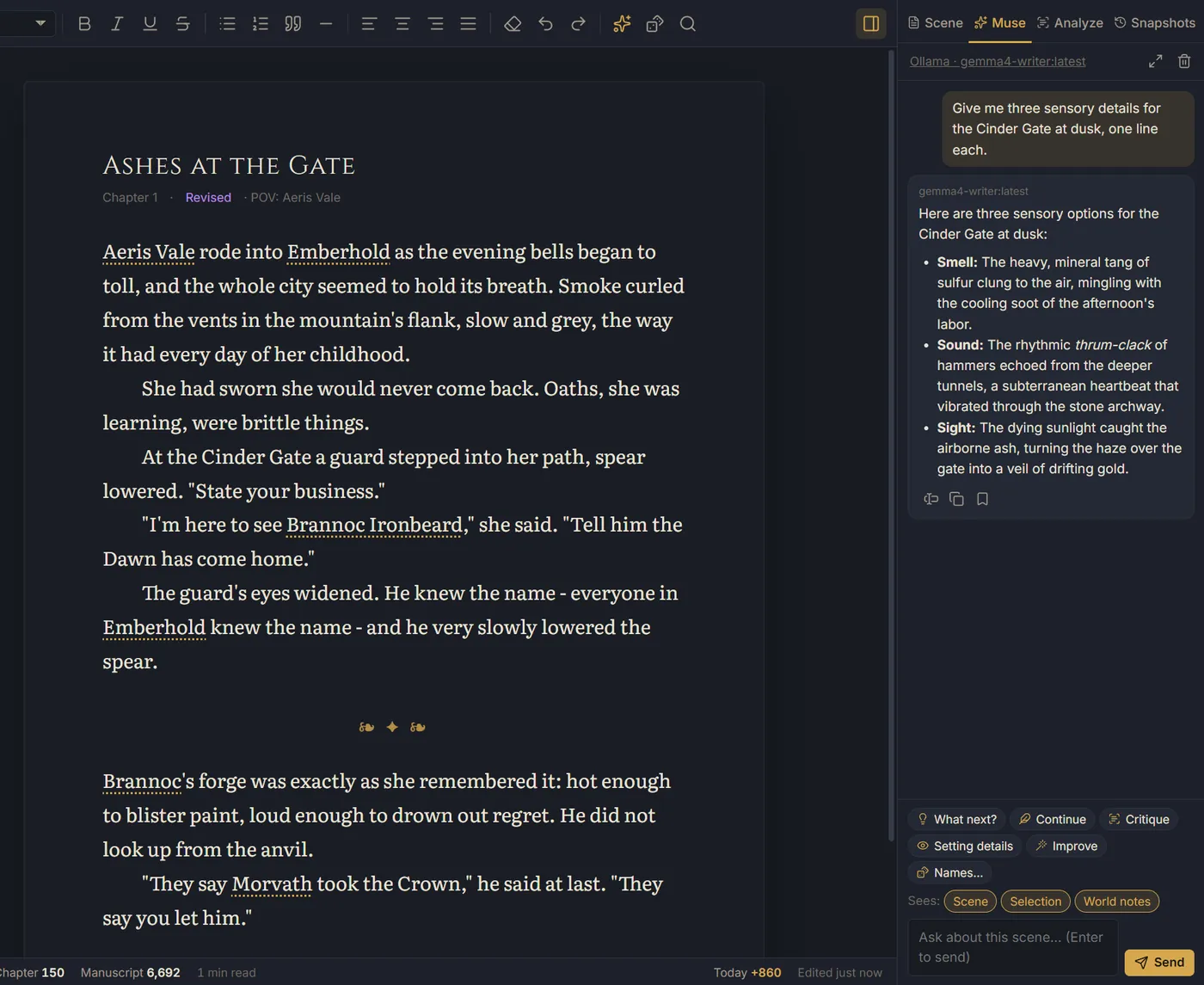
Plot hooks, twists, villains, quests, heists, prophecies, settlements, magic systems and dozens more. Roll until something sparks, then send it straight to your codex.
Highlight a passage and right-click to describe, expand, tighten or continue it. Ask about the scene you're in without leaving the page. Fill in a codex entry, find names that fit your world, or describe a place on your map. The muse reads your scene and your world notes, so its answers fit your story.
Open a Scrivener project or a Sudowrite export directly, or bring in Word, RTF, Markdown and text files. Chapters arrive with their scenes, synopses and notes, and character and place sheets become codex entries.
No subscription and no account. Try every feature free for 14 days first.
Prices in USD. Sales tax or VAT is added at checkout where it applies. 30-day refunds.
Download and use everything. No card, no sign-up. When the trial ends your work stays readable and exportable.
Paste your license key into Settings and the trial becomes yours for good.
New versions install themselves for a year. After that, keep what you have, or add another year for $25 whenever you like.
No. You pay once and Elsewhen is yours. A year of updates is included; after that, the app keeps working forever on the version you have.
If you want newer versions later, add another year for $25 whenever you like. You'll get every update you missed, plus a year of new ones.
Elsewhen becomes read-only. You can still open, read and export every project, but you can't edit until you enter a license key. Nothing is ever deleted.
No. The AI muse is optional, and we never charge for it. You can run a free model on your own PC with Ollama, use a free API key from Google AI Studio, or use your own key with Claude, OpenRouter, Groq, Mistral or any OpenAI-compatible service, and pay them directly.
Not by us. We never receive your writing. With a local model, nothing leaves your PC. With a cloud provider, the text you send goes straight to that provider under their terms, and policies differ: Google's free Gemini tier, for example, may use what you send to improve its products, while paid API plans generally don't. If that matters to you, use a local model.
On your computer. Each project is a single .lore file in a folder you choose. Elsewhen saves a moment after every change and keeps rolling backups, and it can also copy every backup to a folder you pick, such as OneDrive, Dropbox or a USB drive. Nothing is uploaded unless you choose a cloud folder.
Only to activate your license and to download updates. Writing, maps and the generators all work offline. Your license is re-checked now and then when you're online, and being offline never locks you out.
Up to 3 at a time. Getting a new PC? Go to Settings → License & updates → Deactivate on this computer, then activate on the new one.
Scrivener: in Elsewhen choose Project menu → Import → Scrivener project… and pick your project folder (the one ending in .scriv). Folders in your Draft become chapters and their documents become scenes, with synopses, notes, labels and status. Character and place sheets become World Codex entries. Your Scrivener project is only read, never changed.
Sudowrite: export your project as a .zip or a merged .docx, and export the Story Bible's Characters, Worldbuilding and Outline as .csv, then import them together. Word, RTF, Markdown and text files work too.
Elsewhen exports a Word manuscript in the standard format agents and editors expect, and an EPUB e-book you can read on Kindle (via Send to Kindle), Kobo, Apple Books and Google Play Books, or upload to stores along with your cover. Maps export as high-resolution images for your book, and they're yours to publish.
Not yet. Elsewhen runs on Windows 10 and 11.
Email us within 30 days of buying for a full refund. See the refund policy.
One email when Elsewhen is ready. Never shared, never sold. Privacy